2017年11月10日 星期五

2017年11月9日 星期四
m64p - 71af22528 (2017-11-09)
N64模擬器 m64p (mupen64plus + GLideN64 + a GUI) 更新版本,有需要的朋友可至官網下載。
https://github.com/m64p/mupen64plus-GLideN64/commit/71af225289f76490e651f125ada548653247777d
https://m64p.github.io/
https://github.com/m64p/mupen64plus-GLideN64/commit/71af225289f76490e651f125ada548653247777d
https://m64p.github.io/
2017年11月8日 星期三
Ootake v2.87
PCE/PCE-CD模擬器 Ootake 發布新版,更新如下 :
– At the top of the « Input » menu, the current pad connection status is
displayed on one line, such as « Connect [x-Button Pad] ». If you place the
mouse cursor over it, the menu for changing the connection pad appears.
– « 3-Button Pad (I+II) » added to the pad selection of the above menu. If
this is selected, pressing [IIIr] button will result in pressing [I]+[II]
button at the same time. In addition, [IIIs] button becomes [RUN] button.
It can be used for jumping of [I]+[II] in « Double Dragon II », and for
simultaneous bullet shooting of [I]+[II] in « Super Darius » and « Darius
Plus », and so on.
– [Alt] key can be assigned to PCE controller setting. Therefore, when you
want to open the menu, please use [Esc] key, the button by « CPU->
Configure Pause Button » menu, or mouse click.
Also, when [Shift] key is pressed five times, the fixed key setting dialog
will not be displayed. As a result, [Shift] key can be assigned to PCE
controller setting.
– When setting PCE controller from the [Setting] button (lower left of the
initial green screen), PCE controllers #2-#5 are initialized (keys not
set). If your controller setting is not stable, please set it here.
– The number of save states can be used to a maximum of 80.
(increased from 50 to 80)
– In the visual scene of the end of « Tenshi no Uta II », the problem of
stopping was solved (occurred in recent version. adjustment of CD access
timing). I was able to check the operation without problem until ending
with this version.
– When entering the first tower in « Tenshi no Uta II », the problem that
large noise exists on the head of some audio tracks (* this noises exists
with a real PC Engine) was solved. In Ootake, this obvious unnecessary
noise is cut and played cleanly.
* This problem is probably caused by a CD-ROM production mistake at that
time (the sound of the end of the previous track is mixed at the
beginning of the track).
In « Tenshi no Uta II », « Rayxanber II », « Eikan ha Kimini » and « Ginga
Fukei Densetsu Sapphire », this problem happens. Ootake solves it. If you
uncheck « Setting-> Improve-> Cut Inaccurate CD-DA Track Head Noise »
menu, this solving will be invalid (noise appear like real PC Engine).
– When specifying « .cue file » as an argument from the command prompt, the
bug that could not be opened (occurred from v2.81) has been fixed.
– Additionally, a detailed part has been improved and corrected.
displayed on one line, such as « Connect [x-Button Pad] ». If you place the
mouse cursor over it, the menu for changing the connection pad appears.
– « 3-Button Pad (I+II) » added to the pad selection of the above menu. If
this is selected, pressing [IIIr] button will result in pressing [I]+[II]
button at the same time. In addition, [IIIs] button becomes [RUN] button.
It can be used for jumping of [I]+[II] in « Double Dragon II », and for
simultaneous bullet shooting of [I]+[II] in « Super Darius » and « Darius
Plus », and so on.
– [Alt] key can be assigned to PCE controller setting. Therefore, when you
want to open the menu, please use [Esc] key, the button by « CPU->
Configure Pause Button » menu, or mouse click.
Also, when [Shift] key is pressed five times, the fixed key setting dialog
will not be displayed. As a result, [Shift] key can be assigned to PCE
controller setting.
– When setting PCE controller from the [Setting] button (lower left of the
initial green screen), PCE controllers #2-#5 are initialized (keys not
set). If your controller setting is not stable, please set it here.
– The number of save states can be used to a maximum of 80.
(increased from 50 to 80)
– In the visual scene of the end of « Tenshi no Uta II », the problem of
stopping was solved (occurred in recent version. adjustment of CD access
timing). I was able to check the operation without problem until ending
with this version.
– When entering the first tower in « Tenshi no Uta II », the problem that
large noise exists on the head of some audio tracks (* this noises exists
with a real PC Engine) was solved. In Ootake, this obvious unnecessary
noise is cut and played cleanly.
* This problem is probably caused by a CD-ROM production mistake at that
time (the sound of the end of the previous track is mixed at the
beginning of the track).
In « Tenshi no Uta II », « Rayxanber II », « Eikan ha Kimini » and « Ginga
Fukei Densetsu Sapphire », this problem happens. Ootake solves it. If you
uncheck « Setting-> Improve-> Cut Inaccurate CD-DA Track Head Noise »
menu, this solving will be invalid (noise appear like real PC Engine).
– When specifying « .cue file » as an argument from the command prompt, the
bug that could not be opened (occurred from v2.81) has been fixed.
– Additionally, a detailed part has been improved and corrected.
VGB 5.3
![[Picture]](https://lh3.googleusercontent.com/blogger_img_proxy/AEn0k_tFefj4E0o_06hq02bohLZ0JY8R2TEoFWQhwslQ_YkAzXwsBLAzu0xtyAaJCj0GDfdnmGdzWn9simg1kIcqUk6wONXo5-GJXhjxeAqRWpbv=s0-d)
GameBoy / Super GameBoy / GameBoy Color模擬器 VGB 發布新版,更新如下 :
- Added second joystick support to VGB-Windows.
- Added multiple monitor support to VGB-Windows.
- Fixed disappearing window in VGB-Windows.
- Fixed best full-screen mode detection in VGB-Windows.
- Fixed window flicker that appeared after recent Win10 updates.
- Fixed DirectInput joysticks support in VGB-Windows.
- Made directional pads work on XBox gamepads.
- Switched VGB-Linux to using PulseAudio sound.
- Updated old PulseAudio driver for 64bit Linux.
2017年11月7日 星期二
Nova v0.1.5
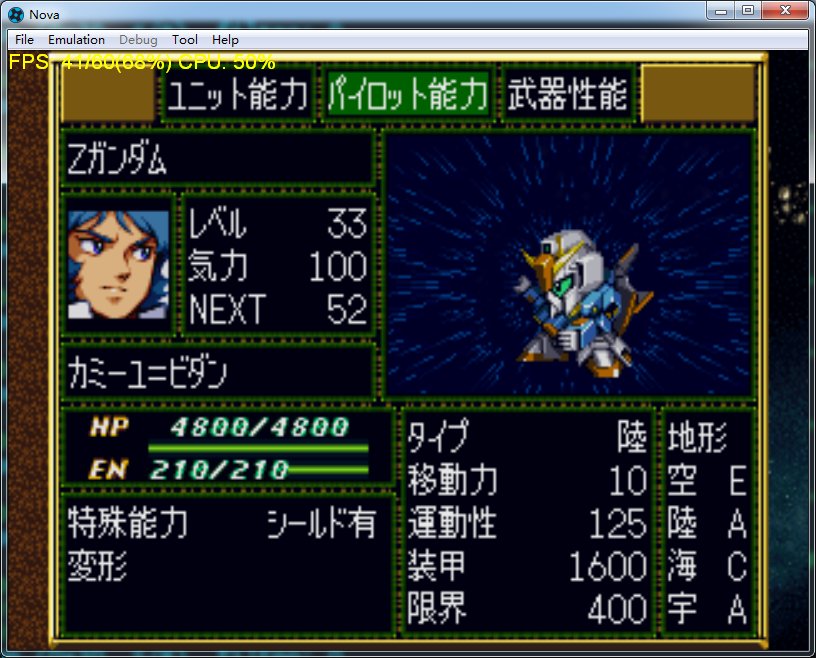
SEGA SATURN模擬器 Nova 發布新版,更新如下 :
– MISC: Added configuration file.
– MISC: Implemented I18N.
– MISC: Rewrote the CUE parser.
– MISC: Implemented startup from command line.
– MISC: Implemented dragging and dropping files.– SH2: Improved address mapping and mirroring.
– UI: Improved the user interface.
– VDP1: Fixed Jump Call/Return.
– M68K: Fixed TAS instruction, 3D Baseball is in-game (Not playable due to graphic issues).
– MISC: Implemented I18N.
– MISC: Rewrote the CUE parser.
– MISC: Implemented startup from command line.
– MISC: Implemented dragging and dropping files.– SH2: Improved address mapping and mirroring.
– UI: Improved the user interface.
– VDP1: Fixed Jump Call/Return.
– M68K: Fixed TAS instruction, 3D Baseball is in-game (Not playable due to graphic issues).
About PGM2
MAME大老 Haze 提到一些關於PGM2基板破解的進度。
Morten Shearman Kirkegaard 與 Peter Wilhelmsen 製作了一個用於PGM2基板與ROM插槽的FPGA電路板,這個裝置可以直接控制 IGS036 CPU 所讀取的內容及監視與外部ROM的所有線路訊號。以目前掌握的相關資料,修改基板運行代碼及注入外部代碼已經成為可能,目前dump出的ROM藉由此法寫回基板內部ROM已經證明是可正確被基板識別的。
目前MAME在模擬上存在許多ARM9及相關錯誤,不過攻克它只是時間問題罷了......
Morten Shearman Kirkegaard 與 Peter Wilhelmsen 製作了一個用於PGM2基板與ROM插槽的FPGA電路板,這個裝置可以直接控制 IGS036 CPU 所讀取的內容及監視與外部ROM的所有線路訊號。以目前掌握的相關資料,修改基板運行代碼及注入外部代碼已經成為可能,目前dump出的ROM藉由此法寫回基板內部ROM已經證明是可正確被基板識別的。
目前MAME在模擬上存在許多ARM9及相關錯誤,不過攻克它只是時間問題罷了......
2017年11月6日 星期一
higan v105tr1
多機種模擬器 higan 發布新版,更新如下 :
- Super Famicom: fixed real-time clock functionality in Tengai Makyou Zero [Cydrak]
- Super Famicom: fixed real-time clock functionality in Dai Kaijuu Monogatari II [Cydrak]
- Super Famicom: fixed SMP regression that broke Majuu Ou in previous releases [Jonas Quinn]
訂閱:
文章 (Atom)